 TaleArt docs
Demo data
A new install is empty. The demo seed fills it with a made-up furniture store's campaign, so you can see zones, tale groups, tales and a team working without building them first. Use it to try TaleArt, to take screenshots, or to test an integration against realistic content.
What it contains
One project named Spring Campaign, for a fictional brand, Nordic Home. The products, the brand and the people are invented, and the pictures show no real product or person.
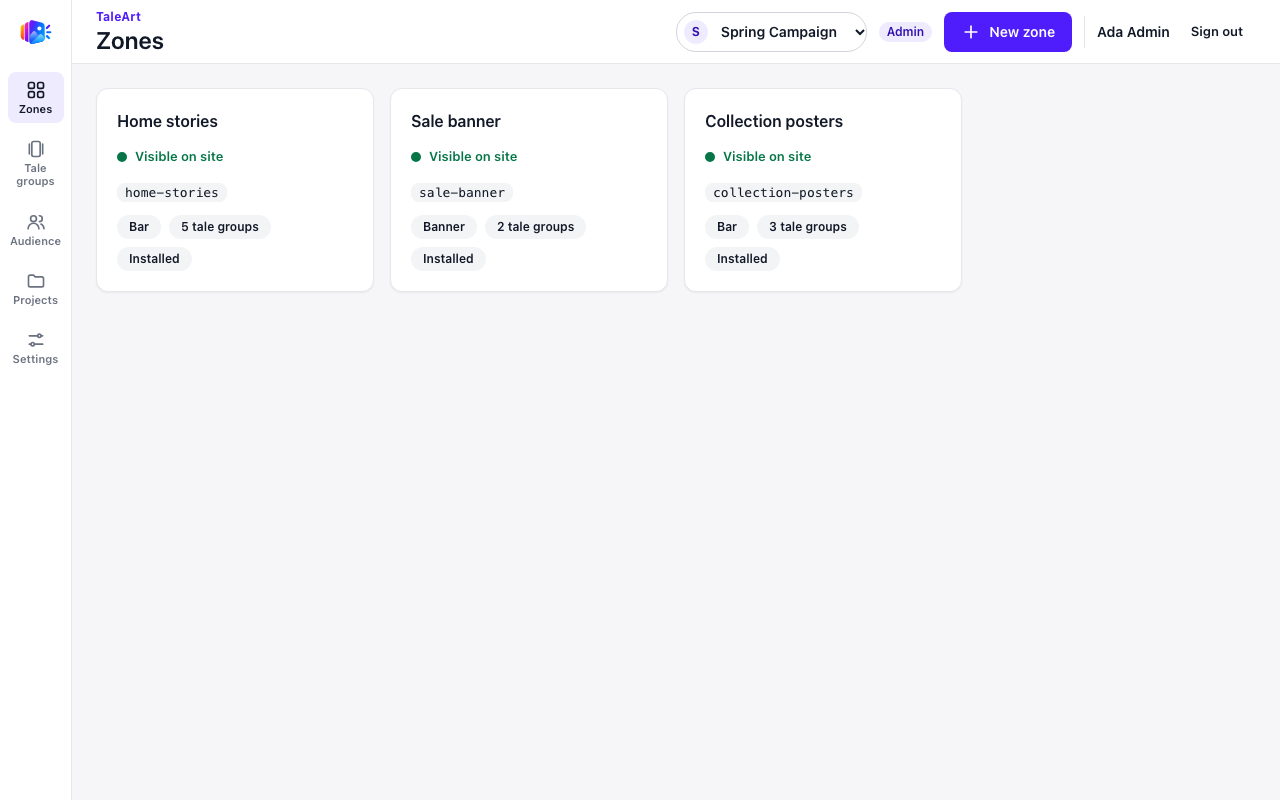
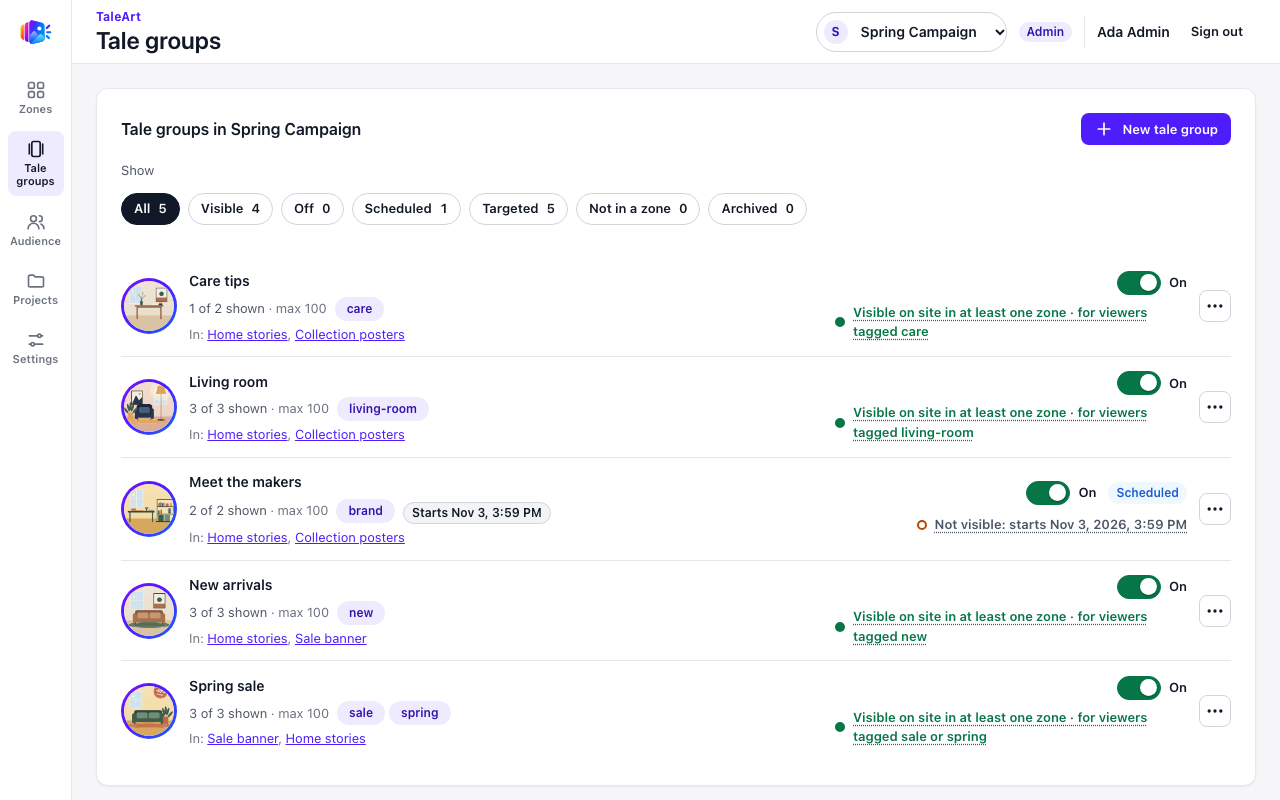
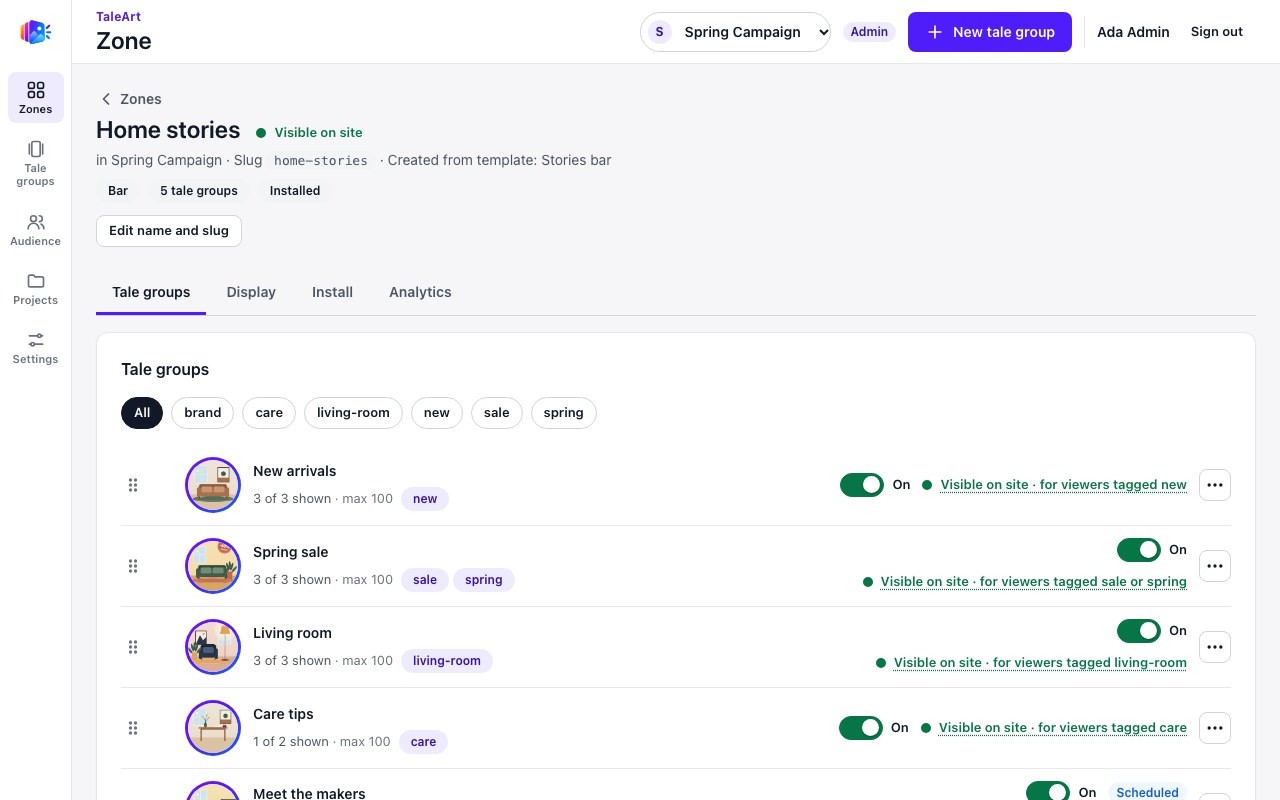
The details are in the table at the end of the page.
Two ways to get it
The Docker quick try
The example file of the Docker install sets TALEART_SEED_DEMO=true. When the first admin finishes the setup screen, the API makes the demo project for them within a few seconds, through its own Management API, and then revokes the short-lived token it used. Refresh the dashboard to see it.
git clone <this repository> taleart && cd taleart
docker compose --env-file .env.docker.example up -d --build   # TALEART_SEED_DEMO=true is in the example file
This is the only way to get the demo team as well (see below), because no API token may create a user or an invitation.
The command line
On any other install, an admin runs taleart seed-demo with an API token (Settings, API tokens in the dashboard). Check first, then make it:
export TALEART_API_URL=http://localhost:8080 TALEART_TOKEN=tat_...
taleart seed-demo --dry-run     # checks the install and says what it would make
taleart seed-demo
taleart seed-demo --json        # for scripts
taleart seed-demo --force       # adds it even to an install with projects
The CLI finds the install through --api-url or TALEART_API_URL, and signs in with TALEART_TOKEN or with taleart login. The token's user must be an admin, because creating a project needs one. See the command-line tool page for the rest of the CLI.
| Option | Does |
|---|---|
--dry-run | Checks the install and says what would be made. Changes nothing. |
--force | Seeds even when the install already has projects or the demo project. The new project is named Spring Campaign 2 when the first one exists. |
--json | Prints the result as JSON: status (created, exists or dry-run), the project, the counts and, for a created run, the zone keys. |
--api-url | The address of the install. Also read from TALEART_API_URL. |
If the command refuses (the install already has other projects), it exits with code 6 and the error code seed_refused. Rerun with --force, or use a fresh install.
Safety rules
- Never on a populated install, by accident. The CLI refuses an install whose user already has other projects.
--forceoverrides it. - Running twice does nothing. A project named
Spring Campaignis the marker: the second run reportsexistsand changes nothing. With--forceit makesSpring Campaign 2. - Docker: only at the first admin's setup.
TALEART_SEED_DEMO=trueruns once, for the first admin of an install that has no other user. Turning it on later does nothing, because setup has already happened. - Real installs keep it
false. It is on in.env.docker.examplefor the quick try only. Set it tofalsein the.envof a server. - It uses only the Management API, so every value passes the API's own checks, and the token it uses is revoked at the end.
The demo team
With TALEART_SEED_DEMO the project also gets a small team, to show every role and the states of an access. The four members have example.com email addresses and cannot sign in: they have no passkey, password or provider. There are also two pending invitations. The seeded people are not in the first admin's own list of members, so the screenshot shows the admin only in the page header.
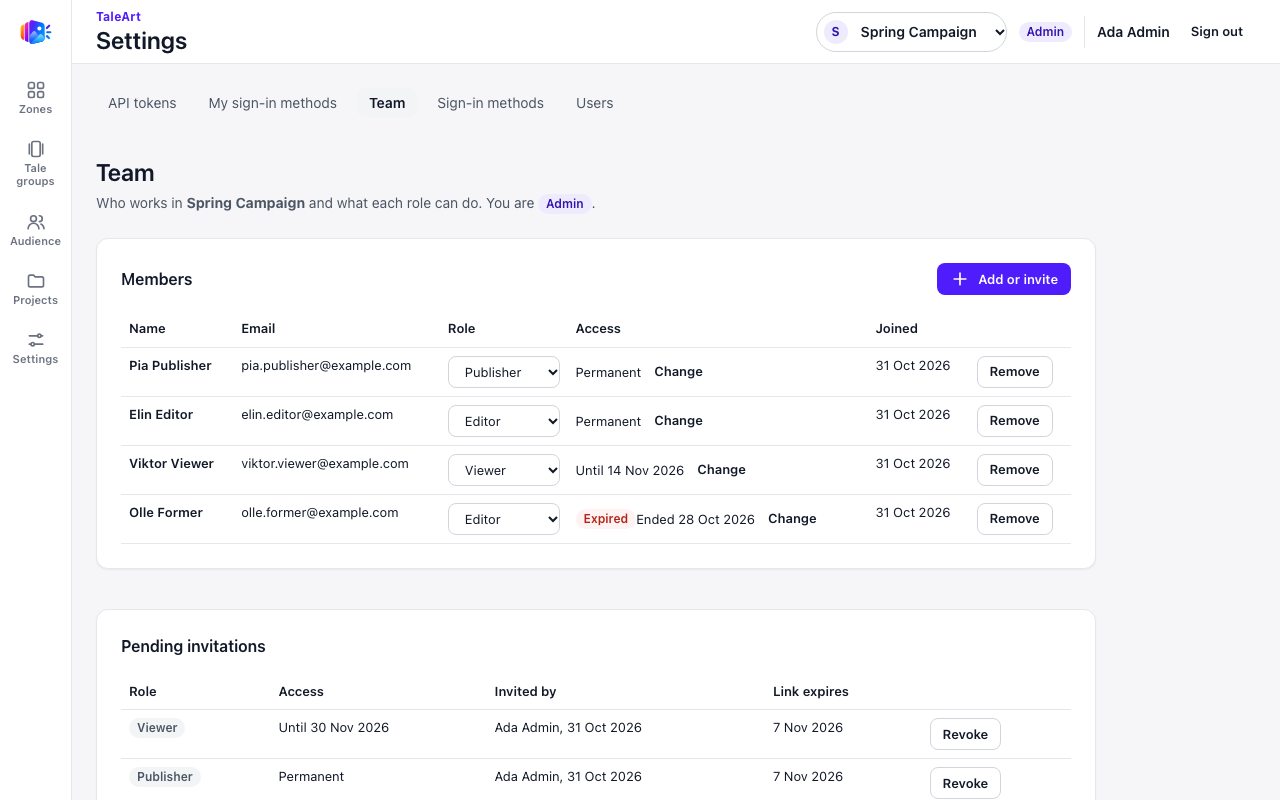
The CLI cannot make the team. A project seeded with taleart seed-demo has no members besides the token's user. See Roles and permissions for what each role can do.
The artwork
The pictures are original flat illustrations of furniture scenes, drawn for the TaleArt repository as SVG and rendered to JPEG. Nothing comes from a photo library or a stock site. They are licensed under Apache-2.0, like the rest of the repository. There are 18 files, about 580 KB in all: five round covers for the tale groups and thirteen full-screen pictures (1080 by 1920) for the tales.
What is created
| Thing | Count | Details |
|---|---|---|
| Project | 1 | Spring Campaign, with a theme of warm sand and terracotta rings and a serif font. |
| Zones | 3 | Home stories (a ring bar), Sale banner (a banner) and Collection posters (a poster bar). Each has a zone key, so it reads as installed. |
| Tale groups | 5 | New arrivals, Spring sale, Living room, Care tips and Meet the makers, with covers and tags. One is scheduled. |
| Tales | 13 | Pictures, text and buttons, plus interactive elements: a countdown, a promo code, a poll, a quiz, a rating and a reaction. One tale is hidden (a saved draft nobody sees yet). |
| User list | 1 | Newsletter subscribers. |
| Team members | 4 | Pia (Publisher), Elin (Editor), Viktor (Viewer, access ends in 14 days) and Olle (Editor, access already ended). Docker only. |
| Pending invitations | 2 | A Publisher and a Viewer (access for 30 days). Docker only. |
Limits
- A failed run leaves a partial project. The seed is not a transaction. If it stops half way, the project stays as it is. Start from a fresh database, or run it again with
--forceto getSpring Campaign 2. - Zone keys are printed once. A created CLI run prints each zone's key in its result. Save it then; rotating the key in the dashboard shows a new one.
- Tale Studio shows interactive elements as placeholders. The countdown, promo code, poll, quiz, rating and reaction render for real on a page with the Web SDK, such as the SDK test page, not inside the studio. See Interactive components.
- No project delete. The API cannot delete a project, so the demo is removed only by a fresh database.
How to reset
Remove everything, the demo and your own data, and set up again:
docker compose down -v
docker compose --env-file .env.docker.example up -d --build
docker compose down -v deletes the database, the media and the certificates, so the setup screen comes back and the seed runs again for the new first admin. See Stopping and resetting.